
Jaiho Win Verification Account
Account verification at Jaiho Win is a mandatory, secure process designed to protect Indian players and ensure compliance with Reserve Bank of India regulations and the Prevention of Money Laundering Act. Completing verification unlocks full account functionality, including higher transaction limits, faster withdrawal processing, and access to exclusive promotions. This comprehensive overview covers every aspect of the verification process: required documents, step-by-step submission instructions, processing timelines, security protocols, common issues, and best practices for seamless approval.
For players across Mumbai, Delhi, Bangalore, Hyderabad, and tier-2/3 cities, Jaiho Win’s verification system is optimised for Indian identity documents including PAN card, Aadhaar card, and bank account proof. Understanding the verification workflow ensures you can complete the process quickly and avoid delays when accessing your funds or claiming bonuses. Whether you are registering via sign-up or verifying an existing account, the information below provides complete operational clarity.
Verification Overview — Key Principles
Jaiho Win’s verification system is built on three core principles: compliance, security, and user experience. Every document submission is protected by bank-grade encryption, reviewed by trained verification specialists, and designed for straightforward mobile or desktop completion. Understanding these foundational elements helps you complete verification efficiently and unlocks your account’s full potential.
Regulatory Compliance
Verification fulfills KYC requirements under RBI guidelines and PMLA regulations. Mandatory for all Indian players to prevent fraud, money laundering, and underage access. One-time process with lifetime account benefits.
CompliantBank-Grade Security
All documents encrypted with 256-bit SSL during upload and storage. Access restricted to authorised verification personnel only. Documents never shared with third parties or used beyond verification purposes.
ProtectedFast Processing
Most verifications completed within 2–24 hours. Submit clear, legible documents to avoid delays. Status updates sent via SMS/email. Verified accounts enjoy priority support and faster transactions.
EfficientMobile Optimised
Complete verification via the Jaiho Win app. Capture document photos, upload securely, and track status — all from your smartphone. Full desktop functionality mirrored on mobile for convenience.
ConvenientIndia-First Documents
Accepts PAN card, Aadhaar card, and Indian bank statements as primary verification documents. System optimised for Indian document formats, languages, and issuing authorities. No foreign document requirements.
LocalUnlock Full Features
Verified accounts access higher deposit/withdrawal limits, exclusive slots promotions, priority customer support, and faster transaction processing. Verification is your gateway to the complete Jaiho Win experience.
PremiumRequired Documents — India Focus
Jaiho Win requires specific identity and address documents for verification, aligned with Indian regulatory standards. Each document serves a distinct purpose in confirming your identity, address, and payment method ownership. Preparing these documents in advance ensures smooth, delay-free verification.
| Document Type | Accepted Formats | Purpose | Key Requirements |
|---|---|---|---|
| PAN Card | Clear photo of front side (PDF/JPG/PNG) | Identity verification and tax compliance | Name must exactly match registered account name; all four corners visible; text legible |
| Aadhaar Card | Clear photo of front side (PDF/JPG/PNG) | Address verification and identity confirmation | Mask last 4 digits of Aadhaar number if preferred; name and address clearly visible |
| Bank Account Proof | Cancelled cheque or bank statement (PDF/JPG/PNG) | Verify withdrawal account ownership | Account holder name must match registered name; account number and IFSC visible |
| Selfie with ID (if requested) | Clear photo holding PAN/Aadhaar (JPG/PNG) | Additional identity confirmation for high-value accounts | Face and document details both visible; well-lit; no filters or edits |
Document preparation tips: Use good lighting and a plain background when photographing documents. Ensure all text is sharp and readable. Avoid submitting screenshots, edited images, or photos with glare. Names on documents must exactly match the name registered on your Jaiho Win account — even minor spelling differences can cause rejection. Save documents in JPG, PNG, or PDF format under 5MB each for fastest upload.
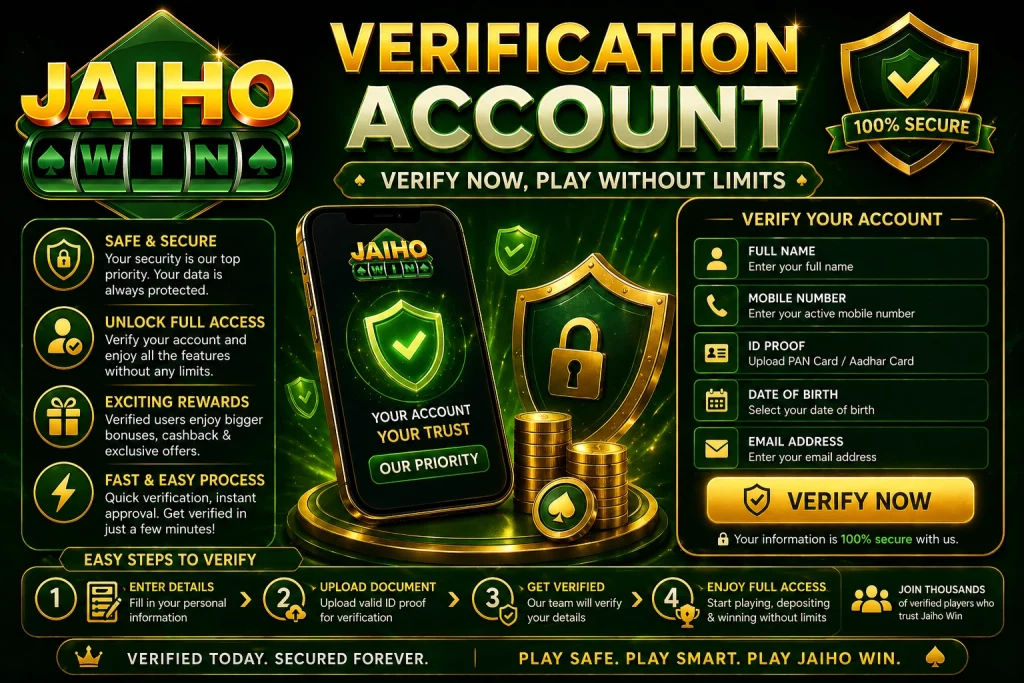
How to Verify — Step by Step
Completing account verification on Jaiho Win follows a straightforward sequence designed for clarity and security. Understanding each step ensures smooth submission and prevents common errors that cause delays or rejections.
Access your account via the login page on desktop or mobile app. Navigate to Account Settings → Verification. New users may be prompted to verify after first deposit or before first withdrawal.
Choose the document you wish to upload first (PAN, Aadhaar, or Bank Proof). The system will display specific requirements and examples for that document type. Follow on-screen prompts for optimal capture.
Use your device camera or file selector to upload a clear photo of your document. Ensure all four corners are visible, text is legible, and there is no glare. Preview the image before submitting to confirm quality.
Manually enter key details from your document (PAN number, Aadhaar number, etc.) for cross-verification. Double-check entries for accuracy — typos can cause automatic rejection. Details are encrypted immediately upon submission.
Review all uploaded documents and entered details. Confirm submission with OTP sent to your registered mobile number. This two-factor authentication protects your identity data during the verification process.
Monitor progress at Account Settings → Verification. Status updates: Submitted → Under Review → Approved/Rejected. Receive SMS/email notifications at each stage. Typical processing time: 2–24 hours.
Upon approval, your account status updates to “Verified” instantly. Access higher limits, faster withdrawals, and exclusive features. If rejected, review the specific reason provided and resubmit corrected documents.
Processing Times & Status Updates
Understanding verification processing times helps set realistic expectations. Most submissions are reviewed within hours, but complex cases or high-volume periods may extend timelines slightly.
| Verification Stage | Typical Duration | What Happens | User Action Required |
|---|---|---|---|
| Submission Received | Instant | System confirms upload and queues for review | None — wait for status update |
| Initial Automated Check | 5–30 minutes | AI verifies document clarity, format, and basic data match | None unless flagged for issues |
| Manual Specialist Review | 2–12 hours | Trained verifier cross-checks details against account info | Respond promptly if additional info requested |
| Final Approval/Rejection | Within 24 hours | Decision communicated via SMS/email and account dashboard | If rejected: review reason and resubmit corrected documents |
| Post-Verification Activation | Instant | Account limits updated; full features unlocked | Enjoy enhanced account capabilities immediately |
Important notes: Processing times begin after successful document upload and OTP confirmation. Weekends and Indian public holidays may extend manual review timelines slightly. First-time verifications may undergo additional security checks (add 2–4 hours). High-value account requests may require supplementary documentation. Always submit during business hours (10 AM–6 PM IST) for fastest processing.
Security Measures — Protecting Your Identity
Jaiho Win employs multiple security layers to protect your identity documents and personal data throughout the verification process. Understanding these measures builds confidence in the platform’s commitment to your privacy and safety.
- 256-bit SSL Encryption — All document uploads and data transmissions encrypted using bank-grade SSL technology. Prevents interception of sensitive identity information during submission.
- Tokenised Data Storage — Personal details extracted from documents are tokenised and stored separately from document images. Even in the unlikely event of a breach, data cannot be reconstructed.
- Access-Controlled Review — Only authorised, trained verification specialists can access submitted documents. All access logged and audited. No unauthorised personnel can view your identity data.
- Automated Fraud Detection — AI systems scan uploads for signs of tampering, forgery, or duplicate submissions. Flags suspicious patterns for enhanced manual review to protect against identity theft.
- RBI-Compliant Data Handling — All verification processes align with Reserve Bank of India data protection guidelines and Prevention of Money Laundering Act requirements. Regular third-party security audits ensure ongoing compliance.
- Secure Document Deletion — Documents retained only as long as required by law. Secure deletion protocols permanently erase files after retention period expires. No unnecessary data hoarding.
- Two-Factor Authentication — Every verification submission requires OTP confirmation. Adds critical layer of protection against unauthorised document uploads or account takeover attempts.
- 24/7 Security Monitoring — Dedicated security team monitors verification systems round-the-clock. Rapid response to suspicious activity with immediate account protection measures.
Common Issues & Troubleshooting
Occasionally, verification submissions may encounter delays or rejections. Understanding common causes and solutions helps resolve problems quickly and minimises frustration.
Verification Pending Longer Than Expected
Cause: High submission volume, complex case requiring enhanced review, or missing supplementary documents. Solution: Check Verification Status in Account Settings. If exceeding 24 hours, contact support with your verification reference ID.
Document Rejected
Cause: Unclear photo, name mismatch, expired document, or incomplete details visible. Solution: Review rejection reason in account notifications. Resubmit with clearer image, corrected name spelling, or updated document as specified.
OTP Not Received
Cause: Network issues, incorrect registered mobile number, or SMS gateway delay. Solution: Wait 2 minutes. Request OTP resend. Ensure registered mobile number is active and has signal. Contact support if issue persists after 3 attempts.
Upload Failed or Timeout
Cause: Poor internet connection, file size too large, or unsupported format. Solution: Check connection stability. Compress image if over 5MB. Use JPG, PNG, or PDF format. Retry upload during off-peak hours for better server response.
Account Restricted Post-Submission
Cause: Suspicious activity detected during review, multiple failed attempts, or regulatory compliance flag. Solution: Contact support immediately. Provide requested supplementary verification. Restrictions typically lifted within 24–48 hours after resolution.
Name Mismatch Error
Cause: Name on document differs from registered account name (spelling, order, or formatting). Solution: Update account name to match official ID exactly via Account Settings → Profile, or submit document with matching name variant. Contact support for assistance with name corrections.
Document Expired or Invalid
Cause: Submitted PAN/Aadhaar is expired, cancelled, or reported lost. Solution: Obtain updated document from issuing authority. Resubmit current, valid document. Expired documents cannot be accepted under RBI compliance requirements.
Additional Documents Requested
Cause: Initial documents insufficient for full verification (e.g., high-value account, address mismatch). Solution: Submit requested supplementary documents promptly via Verification portal. Common requests: utility bill, passport, or selfie with ID. Faster submission = faster approval.
Best Practices — Smooth Verification
Following these proven practices minimises verification delays and ensures your account is approved quickly and securely.
- Prepare documents before starting — Have clear photos of PAN, Aadhaar, and bank proof ready before beginning verification. Avoids interruptions and reduces submission errors.
- Match names exactly — Ensure name on documents exactly matches registered Jaiho Win account name. Even minor spelling differences cause automatic rejection. Update profile name first if needed.
- Use good lighting and focus — Photograph documents in well-lit area with steady hand. Ensure all text is sharp, corners visible, and no glare obscures details. Preview before uploading.
- Submit during business hours — Initiate verification Monday–Friday, 10 AM–6 PM IST for fastest manual review. Avoid weekends/holidays for time-sensitive account activation.
- Keep contact details updated — Ensure registered mobile number and email are current. OTPs and status updates sent to these channels. Update via Account Settings if details change.
- Track status proactively — Monitor verification progress via Account Settings → Verification. Note reference ID for support reference if issues arise. Respond promptly to any additional info requests.
- Save submission confirmations — Screenshot verification submission confirmation and save reference ID. Essential evidence if follow-up with support needed for delayed or rejected submissions.
- Complete verification early — Submit documents soon after registration, not when urgently needing withdrawal. Proactive verification prevents delays during time-sensitive transactions.
Frequently Asked Questions — Verification
Responsible Gaming — India
Online gaming in India operates within a framework administered by the Ministry of Electronics and Information Technology. Identity verification is subject to Reserve Bank of India oversight and KYC norms under the Prevention of Money Laundering Act. Account verification on Jaiho Win is designed to protect players and ensure regulatory compliance, not to restrict legitimate access. If at any point gaming or identity management feels difficult to control, the following resources and platform tools are available immediately.
Responsible Gaming & Identity Protection Resources
Jaiho Win provides verification controls, document update options, and account pause features accessible from your account settings. Use these tools to maintain control over your identity data and gaming activity.
- Verification status can be reviewed anytime in Account Settings → Verification — transparency into your account standing
- Document update requests allow you to refresh expired IDs without re-submitting entire verification package
- Account pause feature temporarily suspends all activity while preserving verified status for future reactivation
- Minimum age to register, verify, and play is 18 years — verified at KYC and strictly enforced with document checks
- Never share verification documents or OTPs with third parties — Jaiho Win staff will never request documents via email or chat
- Track all verification-related communications via Account → Messages to maintain awareness of status changes
- Verification is for protection, not restriction — completed KYC unlocks safer, faster, and more feature-rich account experience
- If verification requests feel excessive or suspicious, contact official support channels immediately to confirm legitimacy
This page is provided for informational purposes only. Verification terms and Jaiho Win platform information described on this page are accurate at time of writing and may change without notice — always refer to official Jaiho Win platform for current terms, document requirements, and processing details. Identity verification involves sharing sensitive personal data. Only submit documents via secure, official Jaiho Win channels. Verification processing depends on external factors (document issuing authorities, regulatory reviews) beyond Jaiho Win’s direct control. If identity management or gaming activity is affecting your wellbeing, please reach out to one of the resources listed above immediately. 18+ only. State restrictions may apply depending on your location.






Comments